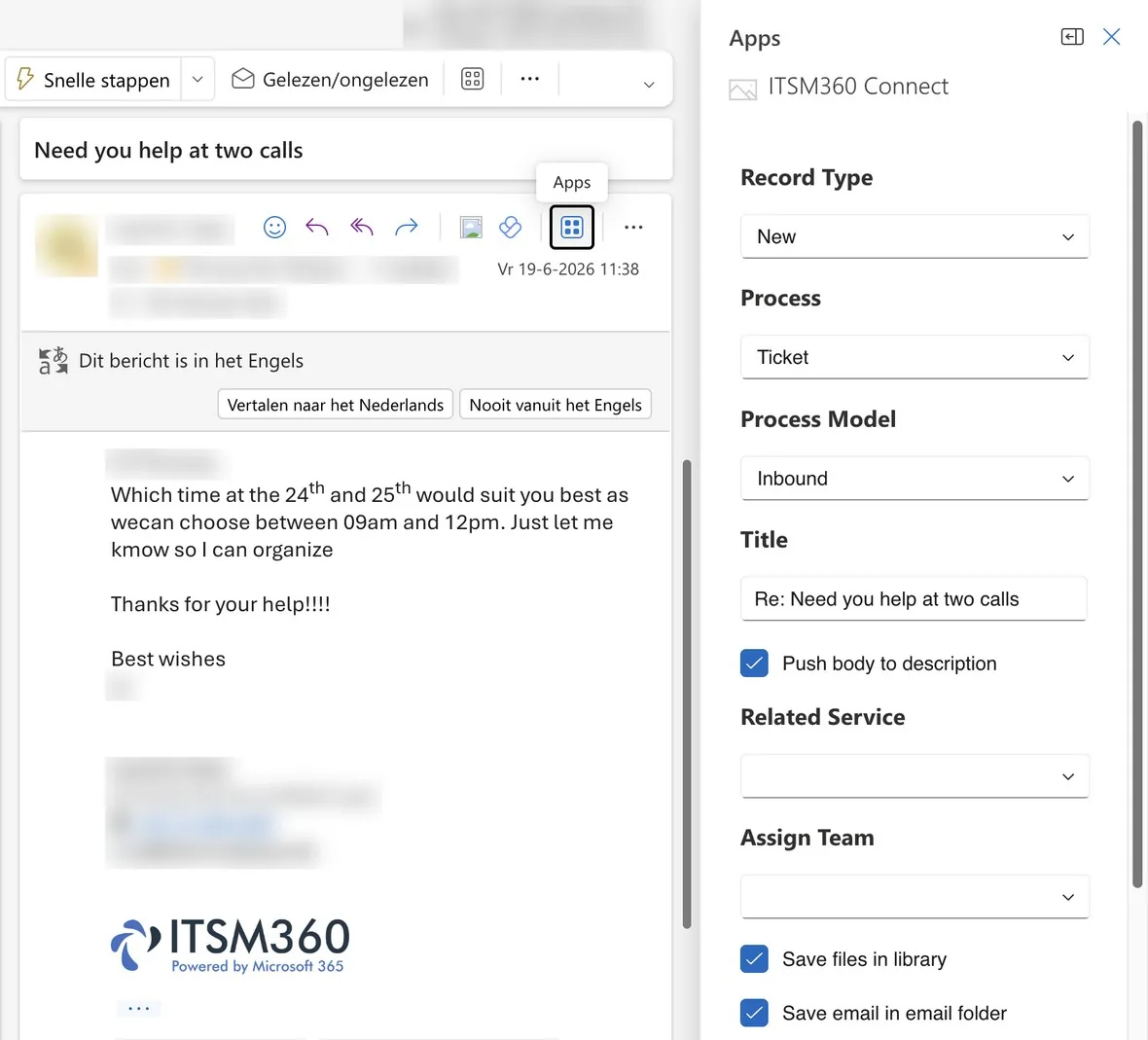
Turn an email into a ticket in Outlook
The ITSM360 Connect add-in creates a ticket from an email in the agent's own Outlook. Email runs through your own Exchange Online, and the ITSM360 apps also run inside Outlook the way they run in Teams.
Key capabilities
ITSM360 runs inside your tenant. It reaches Outlook, To Do and Exchange Online through Microsoft Graph under your own identity, with no connector in between.
 Email to ticket
Agents create a ticket from an email with the ITSM360 Connect add-in, without leaving Outlook.
 Your own Exchange Online
Ticket email runs through your Exchange Online. No vendor mail system sits between you and your users.
 Email history on the ticket
Each ticket carries its emails, internal notes and a Teams chat with the requester.
 To Do in Outlook
A To Do created on a ticket appears in the agent's Outlook. One Graph call under the agent's own identity, no connector.
 The apps inside Outlook
The ITSM360 apps run inside Outlook in the same way as in Teams, and they open from the Microsoft 365 app launcher.
 Requests from employees
Employees raise and follow requests in Outlook, Teams or SharePoint, wherever they already work.
See ITSM360 in Outlook
Book a demo and we will show you how to turn emails into tickets and manage your service desk from Outlook.
Request a demo