Custom Power Automate connectors for ITSM360
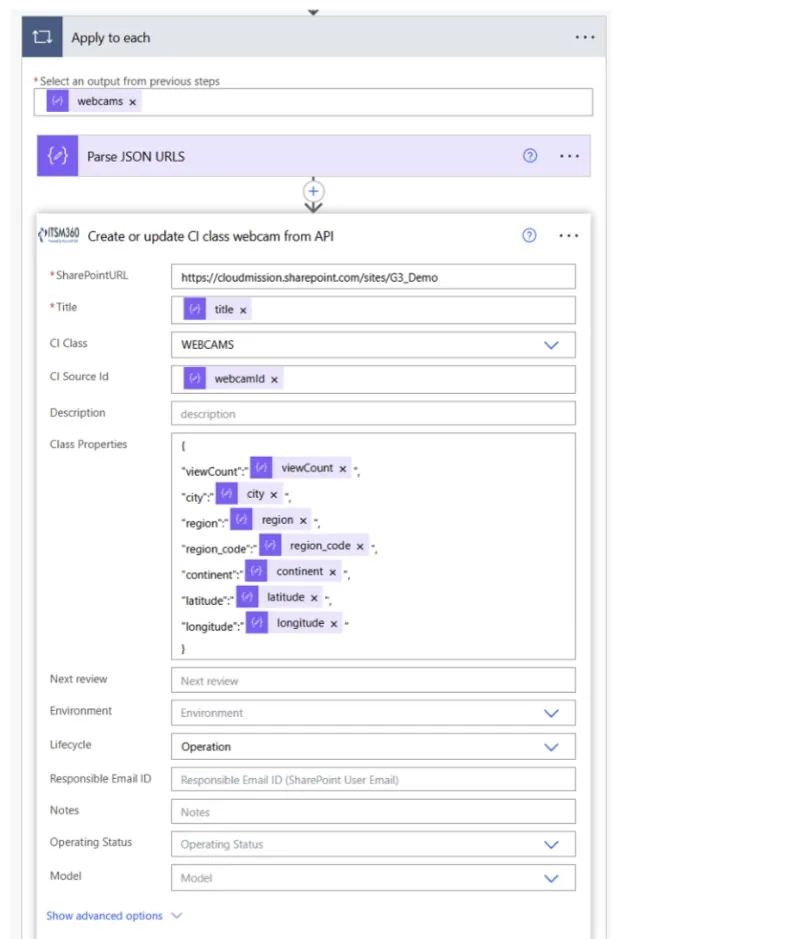
Our custom connectors for tickets, CIs and assets know the ITSM360 data model. A flow updates a ticket in one step, without addressing several SharePoint lists. Runbooks start flows from the ticket.
Key capabilities
Workflows run on Power Automate, a tool your Microsoft team already knows. The data sits in your tenant, so flows reach every system your tenant reaches.
 Connectors that know the data model
Custom connectors for tickets, CIs and assets let a flow create or update a record in one step.
 Runbooks
Link a named runbook to a flow. Agents trigger it from a ticket, or it runs automatically for a ticket type, and each run is logged.
 Approvals in Teams
Pre-built approval flows put the decision in Microsoft Teams.
 Intune integration
A standard flow brings Intune devices into the CMS once you have set its parameters.
 External systems through REST
Non-Microsoft systems connect through REST APIs, with credentials managed as Entra ID app registrations. Existing connections include Azure DevOps and GitHub.
 Automation catalogue
Building blocks from customer projects cover SLA management, routing and escalation, repetitive tasks, AI-driven reporting and translation.
See the automation possibilities
Book a demo and we will show you how Power Automate connectors turn ITSM360 into a fully automated service desk.
Request a demo