Security and compliance you already run
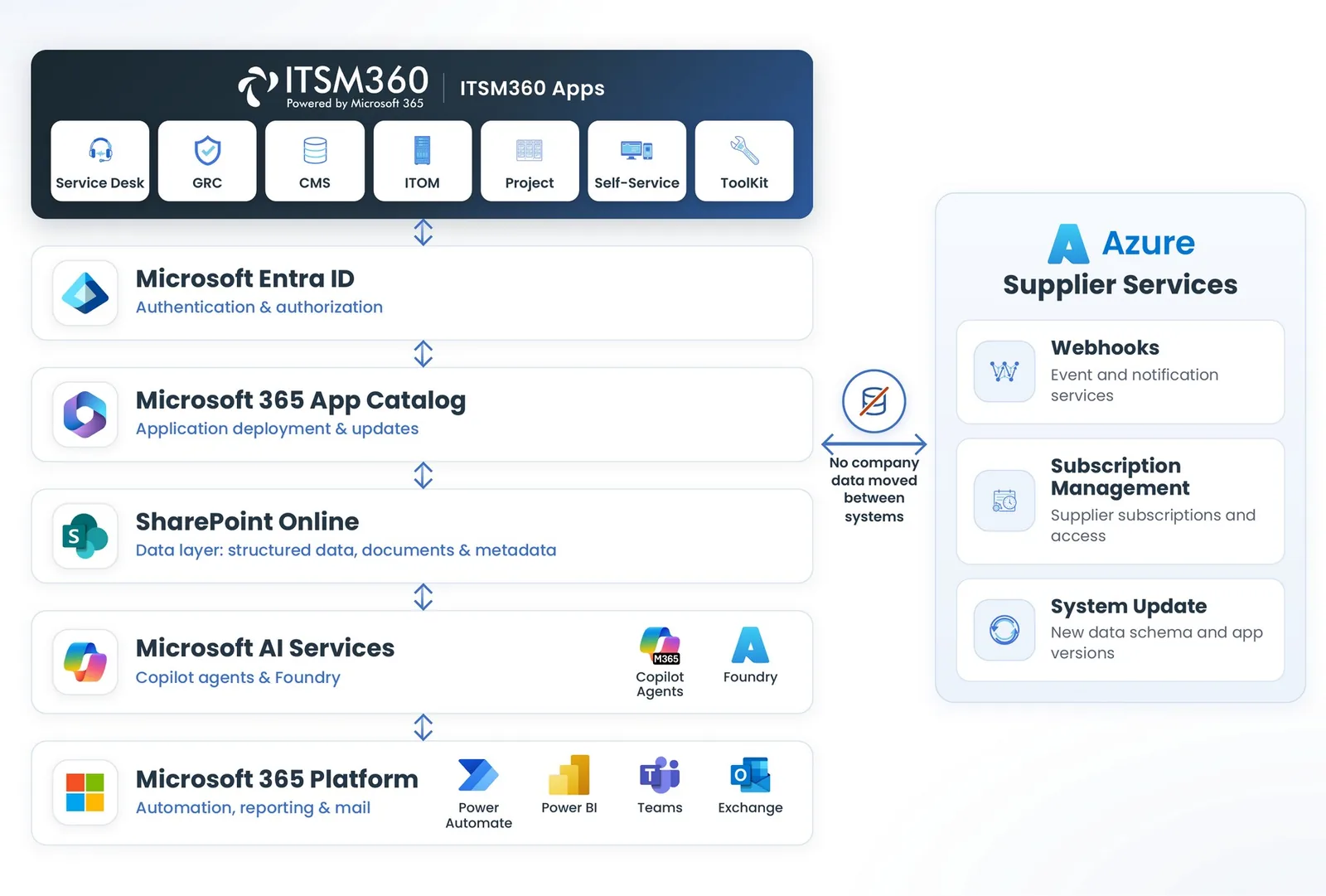
ITSM360 runs inside your Microsoft 365 tenant. Policies you have set in Entra ID, Defender and Purview apply to the service desk automatically. Service data falls under the Microsoft security and audit controls you already use.
Key capabilities
A service desk now holds infrastructure configuration, planned changes, access requests and security incidents. Keeping it inside your tenant removes a second security domain.
 Identity through Entra ID
Entra ID with multi-factor authentication and Conditional Access decides who signs in, from which device and from where.
 Purview on service data
Sensitivity labels, data loss prevention and retention policies apply to tickets, attachments and CIs once they are configured for your tenant.
 One audit log
The Microsoft unified audit log records who accessed what. Version history is on for every data list.
 Defender coverage
Microsoft Defender covers the endpoints and cloud apps that reach the service data.
 Microsoft 365 compliance basis
Service data is processed under Microsoft certifications, including ISO 27001, 27017, 27018, 27701, SOC 1, 2 and 3 and CSA STAR, plus GDPR and EU Data Boundary commitments.
 NIS2, DORA and sector rules
Under NIS2, DORA or sector rules such as BaFin and EBA requirements, the service desk falls under the same Microsoft controls as the rest of your Microsoft 365 environment.
 Backend in your own Azure
With Backend in a Box, the backend services run in your own Azure as an option. The backend then runs in the environment you already manage.
 Admin rights only at deployment
Global and SharePoint administrator rights are needed only during deployment. Consultants need no more than an editor role on the site.
See the security model in a real tenant
Book a demo and we will walk you through deployment, data model, identity and security in a real Microsoft 365 tenant.
Request a demo