Service management that works in Teams
Employees raise and follow requests in Teams. Agents work in apps that follow Microsoft's Fluent UI and open in Teams, also on mobile. A Teams chat with the requester starts from the ticket.
Key capabilities
ITSM360 calls Microsoft Graph under your own identity, so Teams works as part of the ticket with no connector to build or license.
 Chat with the requester
Start a Teams chat from the ticket. Colleagues can join, and the chat updates in the ticket in near real time.
 Self-Service in Teams
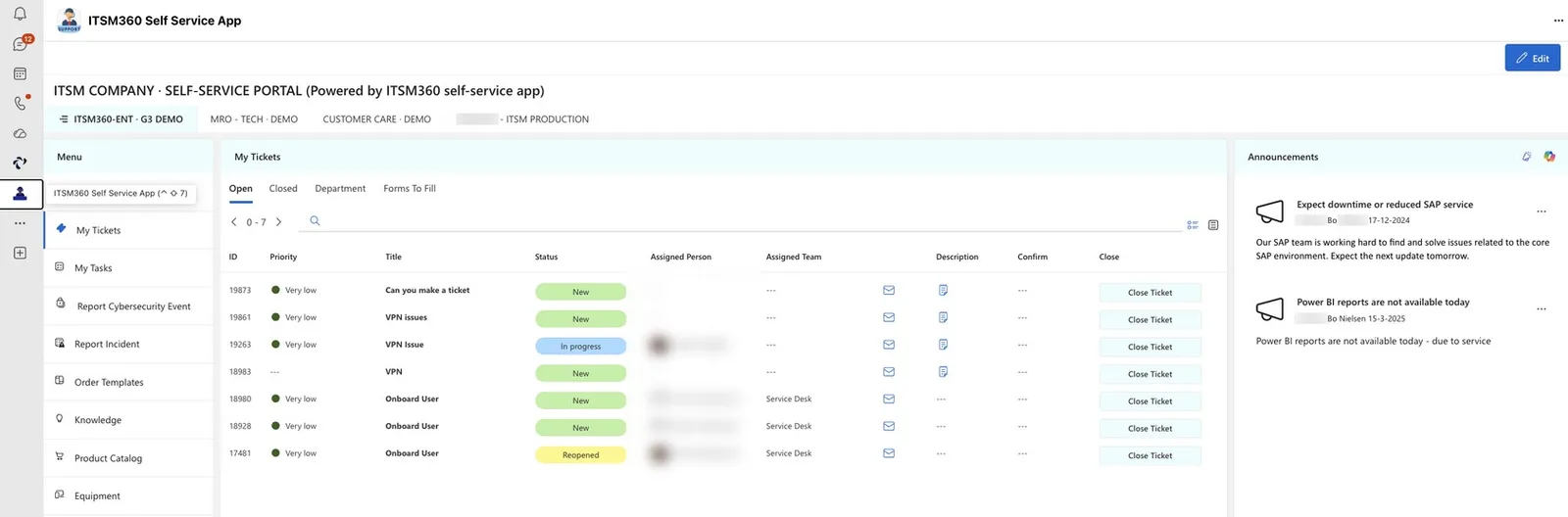
Employees use the service catalogue, knowledge articles, announcements and their own tickets in a Teams app.
 Agent apps in Teams
The Service Desk and the other ITSM360 apps open in Teams and follow Microsoft's Fluent UI design.
 Chat to ticket
The Teams add-in turns a chat into a ticket.
 Notifications and approvals
Notifications go out by email and Teams, and pre-built approval flows put decisions in Teams.
 HappyHelper in Teams
The Copilot agent answers from the knowledge base, creates incidents and escalates to the service desk.
 A Teams group per project
The Projects app creates a Teams group for each project, linked to its tasks and documents.
See ITSM360 running in Teams
Book a demo and we will walk you through the Teams experience for both end users and service desk agents.
Request a demo